nos69Android & iOS App
Access nos69 on your mobile device through our Android app or iOS browser. Mobile-first design means faster load times, offline caching, and push notifications for live updates on Liga 1, Piala AFF, and esports markets. Install the app in minutes and start betting from anywhere.

- StartFirst Game
- LoginOTP Verification
- Installin
- and
We at nos69 offer multiple installation paths to suit your device and preference. Android users can download our APK directly; iOS users access nos69 through their mobile browser. Both paths provide the same account, payment methods (DANA, e-wallet, mobile banking, local payment, online payment, e-wallet, mobile banking, local payment, online payment, e-wallet), and betting features as our web platform.
Mobile betting on nos69 is secure. Your account is protected by two-factor authentication, encrypted data transmission, and the same verification standards as our desktop platform. This guide walks you through installation, setup, and troubleshooting common issues.
Installation Paths for nos69
nos69 is available on Android via direct APK download and on iOS via mobile browser. Choose the path that matches your device. Android users benefit from app-specific features such as offline caching and push notifications; iOS users access the full nos69 platform through Safari or Chrome without installation.
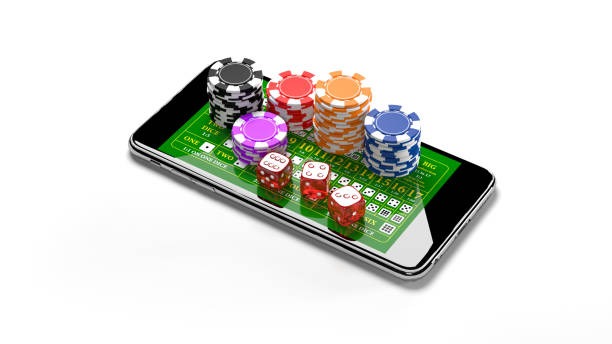
Step-by-Step Installation Guide
Follow these steps to install nos69 on your Android device or access it on iOS. The process takes five to ten minutes and requires your email, phone number, and identity verification documents.
- Download the nos69 APK (Android only): Visit our download page and tap the Android APK link. Your browser will prompt you to allow installation from unknown sources — enable this in your device settings, then complete the download.
- Install the app: Open your Downloads folder, tap the nos69 APK file, and follow the on-screen prompts. The app will install in one to two minutes. For iOS, open Safari or Chrome and navigate to nos69.app — no installation required.
- Create your account: Launch the nos69 app or browser and tap "Open account". Enter your username, email, password, and mobile number. Accept the terms of use and privacy policy, then tap "Create account".
- Verify your identity and start betting: Upload a photo of your national ID and proof of address (utility bill or bank statement). Verification typically takes one to two hours. Once approved, deposit funds via DANA, e-wallet, mobile banking, local payment, or bank transfer, then place your first bet.
App vs. Browser — Which Should You Use?
The nos69 Android app offers offline caching, which allows you to view your account balance and recent bets even without an internet connection. The app also sends push notifications for live updates on Liga 1 matches, Piala Indonesia results, and esports tournaments. App users experience faster load times and smoother navigation during peak betting hours. iOS users access the same features through their mobile browser, which is optimized for Safari and Chrome. Browser access requires an active internet connection but does not require installation or storage space on your device. Choose the app if you want notifications and offline access; choose the browser if you prefer simplicity and no installation.
Device Compatibility
nos69 requires Android 7.0 or later for the APK app. iOS users need iOS 12.0 or later to access nos69 through their mobile browser. Both platforms support the latest versions of Safari, Chrome, and Firefox. If your device is older than these requirements, you can still access nos69 through a mobile browser on any device with internet connectivity. Contact our support team if you encounter compatibility issues.

Troubleshooting Common Installation Issues
If you see an "Unknown sources" warning on Android, go to Settings → Security and enable "Unknown sources" or "Install unknown apps". This allows you to install the nos69 APK from our website. If your device shows a certificate warning, this is normal for direct APK downloads — tap "Install anyway" to proceed. If the app crashes after installation, uninstall it, clear your device cache, and reinstall the latest version. For iOS users, if nos69 loads slowly in your browser, clear your browser cache and cookies, then reload the page. If you cannot access nos69 from your location, verify that online gaming is legal in your jurisdiction — our services are available only where local law permits.
Data, Permissions, and Account Security
The nos69 app requests permission to access your device's camera and photo library for identity verification uploads. We do not access your contacts, messages, or other personal files. Your account data is encrypted in transit and at rest. Two-factor authentication protects your account from unauthorized access — enable it in your account settings. Your payment information is processed through secure third-party gateways and is never stored on your device. nos69 uses industry-standard encryption and access controls to protect your personal and financial data. If you suspect unauthorized access to your account, change your password immediately and contact our support team.
Mobile betting on nos69 is secure, fast, and available anywhere. Install the app or use your browser — both paths offer the same account, payments, and betting features.
Why Choose nos69 Mobile
- Live betting on Liga 1, Piala AFF, Champions League, and esports markets
- Live-dealer tables with real dealers — blackjack, roulette, baccarat, Dragon Tiger
- Slot games including Aviator, Sweet Bonanza, Gates of Olympus, Fortune Tiger, Mahjong Ways
- Local payment methods — online payment, e-wallet, mobile banking, local payment, online payment, e-wallet, mobile banking, local payment, online payment, e-wallet
- Weekly cashback and tier progression with exclusive benefits
- Account security with two-factor authentication and encrypted data
Mobile-first design
Secure verification
Local payments
Live notifications
nos69 mobile is available on Android and iOS. Download the app or access nos69 through your browser — both paths offer the same account, betting features, and payment methods. Installation takes minutes; verification takes one to two hours. Once your account is verified, you can deposit via mobile banking, local payment, online payment, e-wallet, mobile banking, local payment, or bank transfer and start betting on Liga 1, Piala AFF, live casino tables, and esports markets.
If you have questions about installation, compatibility, or account setup, contact our support team via chat or email. We respond to all inquiries during business hours. nos69 services are available only where local law permits — verify that online gaming is legal in your jurisdiction before creating an account.